
For Daraz Sellers
Daraz Labels That Show What to Pack
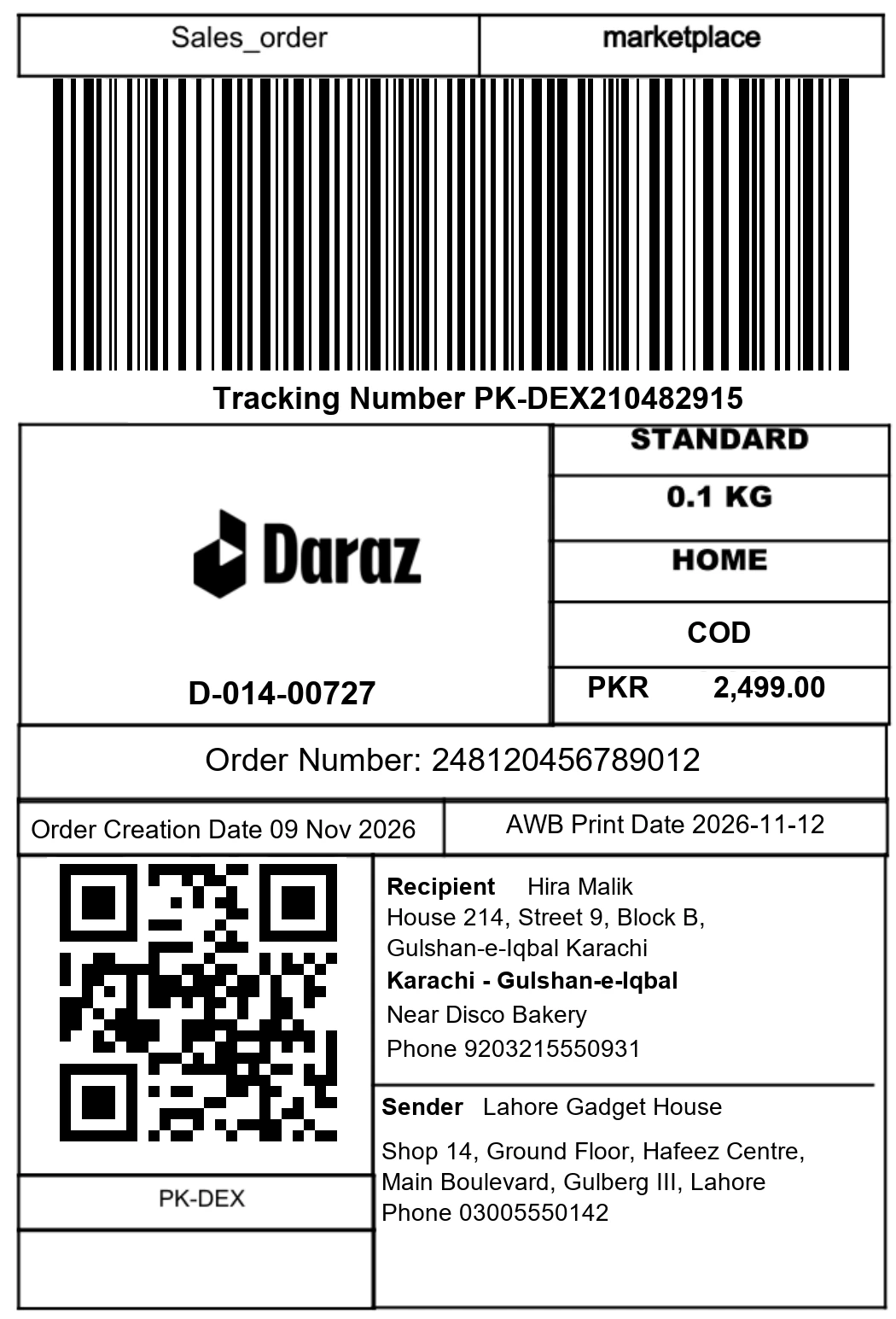
A Smart Label has the product name and how many to pack. Your packer picks the right item the first time.
To print Daraz shipping labels in bulk, tick the orders that are ready to pack, check each label and press print. You get one PDF with four labels to an A4 page, and each label shows the product name and quantity. You can also send labels to a Bluetooth thermal printer from your phone.
How It Works
- 1
Tick Your Orders
Choose the orders that are ready to pack.
- 2
Check the Label
See the product name and quantity on the label before you print.
- 3
Press Print
Get one PDF. Four labels fit on each A4 page.
Why Sellers Like It
- Fewer wrong parcels
- Pack straight from the label
- Print many labels at once
- Print old labels again for free
- Print from your phone to a Bluetooth thermal printer (Chrome or Edge on Android)
How Do I Print Daraz Shipping Labels in Bulk?
Printing labels one order at a time in Seller Center is slow once you have more than a handful of parcels, and it is worse across several stores. Open the orders that are ready to pack, tick the ones you want and press print. All the labels come out in one PDF.
Four labels fit on one A4 page, so you use less paper than one label per sheet. Printing a label you have already printed is free.
What Is a Smart Label?
A standard shipping label tells the courier where the parcel goes. It does not tell your packer what is inside. A Smart Label adds the product name and the quantity to pack, so your packer can pick the right item the first time and you ship fewer wrong parcels.
This matters most when you sell many similar products, such as the same item in different colours or sizes, and when a helper packs for you.
Can I Print Daraz Labels from My Phone to a Thermal Printer?
Yes, on Android. Open Seller's Revolution in Chrome or Edge and send the label to a Bluetooth thermal printer. If you do not have a thermal printer, open the PDF and print it on any printer.
For the exact label size Daraz uses and how to set up your printer, read our guide to the Daraz shipping label size.
What Happens Before and After Printing?
A label comes after an order is marked ready to ship. You can do that from the orders and returns page, where late orders are flagged first. The first print of a label uses 1 credit per order, and reprints are free.
If you pack for more than one store, see everything together with many stores on one screen. To check what a parcel will cost you in shipping and fees, use the Daraz profit calculator.
What It Does Not Do
- It does not book a courier or pick up parcels. It prints the labels for your orders.
- Bluetooth thermal printing works on Android with Chrome or Edge. Other phones should use the PDF.
- It does not change the courier details on the label. Those come from Daraz.
Questions
What is a Smart Label?
It is a Daraz shipping label with the product name and quantity printed on it.
How many labels fit on a page?
Four labels fit on one A4 page.
Can I print from my phone?
Yes. On Android with Chrome or Edge you can send the label to a Bluetooth thermal printer. Or open the PDF.
Can I print a label again?
Yes. Printing a label you already printed is free.
Does printing labels use credits?
The first print of a label uses 1 credit for each order. Reprints and looking at orders are free.
More Tools
- Copy a StoreCopy a full Daraz store and all its products to a new one.
- Copy a ProductAdd any Daraz product to your store just by pasting a link.
- All StoresSee every one of your Daraz stores together on one screen.
- Orders and ReturnsAll orders in one list, with late orders clearly flagged.
- Payouts and FeesStatements, payouts and a clear fee breakdown per store.
- Campaign Auto JoinJoin Daraz campaigns automatically, without daily clicking.
- Stock and Price SyncKeep stock and prices matching across all stores nightly.
- Customer ChatAnswer all your Daraz buyer messages from one single inbox.
- WhatsApp Alerts and BotGet alerts on WhatsApp and ask your store questions by chat.
- Daily SyncA nightly run that sorts your orders and sends a summary.
Ready to Try It?
Try it free. Looking around is free.
Try It Free